







Purpose-built for frontline operations with AI at its core, Frontleap sets a new standard for executing the work your ERP can only record.
Built on the floor
Powered by your knowledge
Designed for adoption
Turn any channel into a clean order

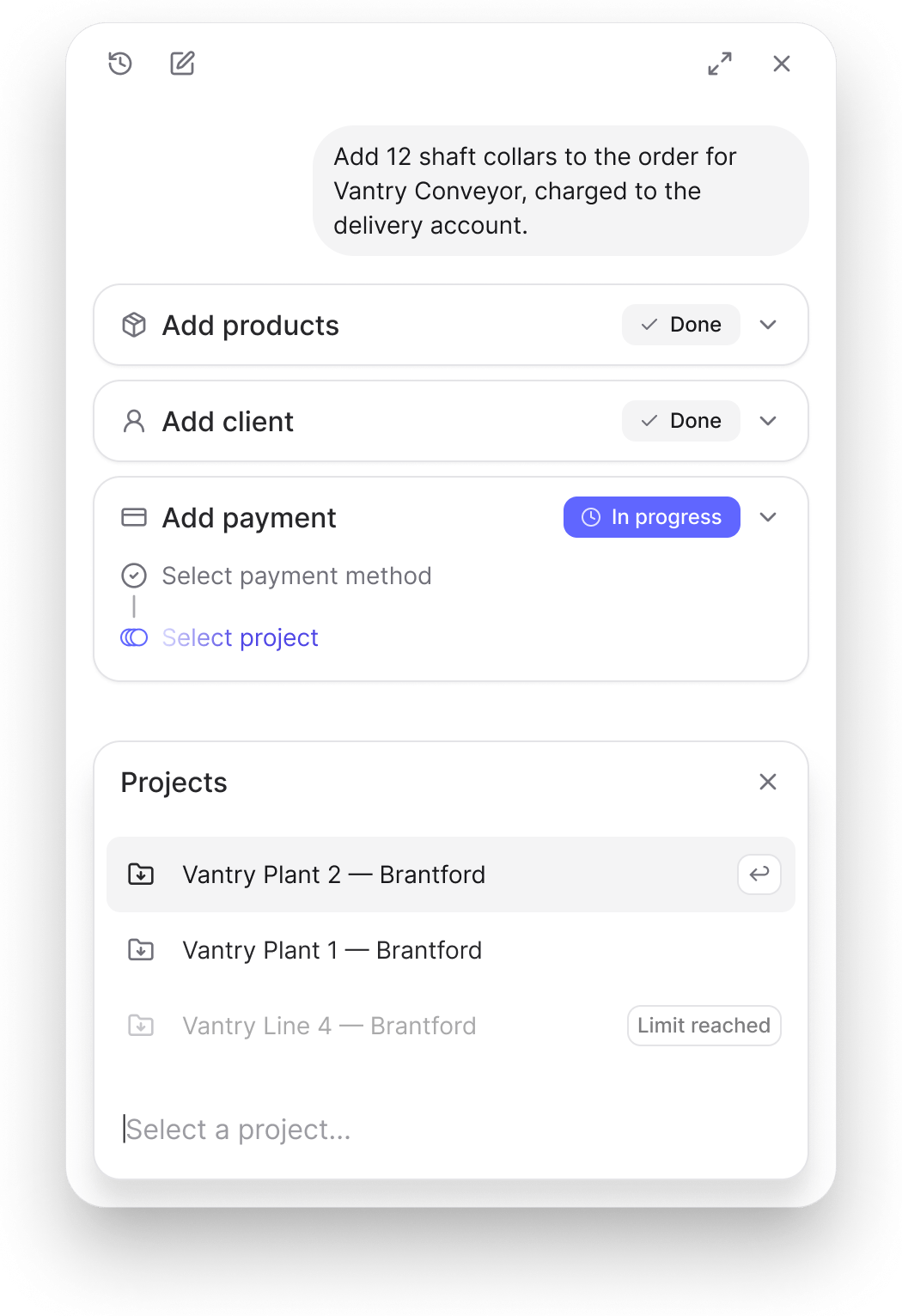
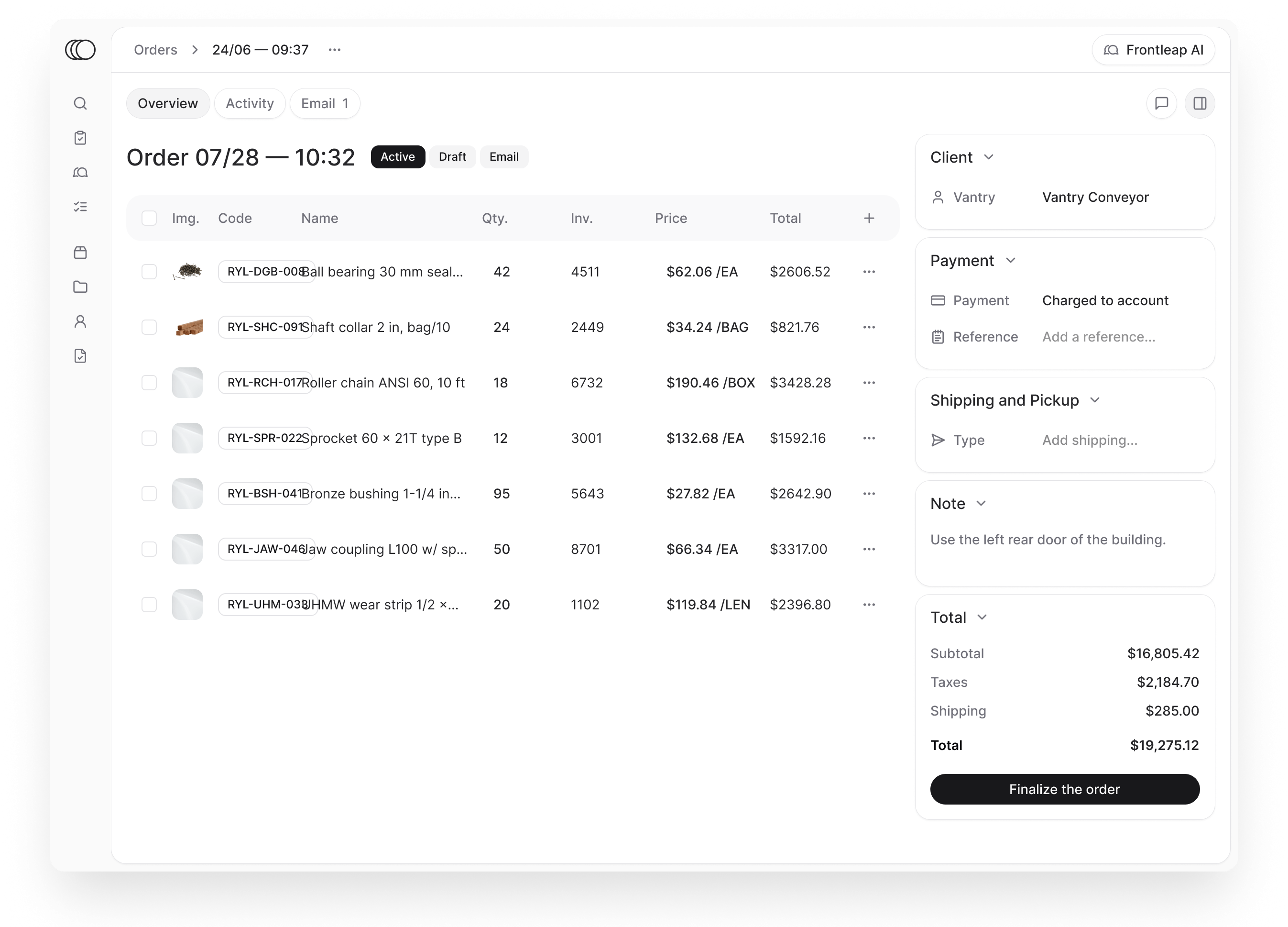
Ask in plain words.
Get a ready order.
Plan the week your crews will actually run


Put the whole catalogue in every employee’s hands
Built for the decade ahead.
In production today.
How the work gets done.


Frequently asked questions
What is Frontleap, exactly?
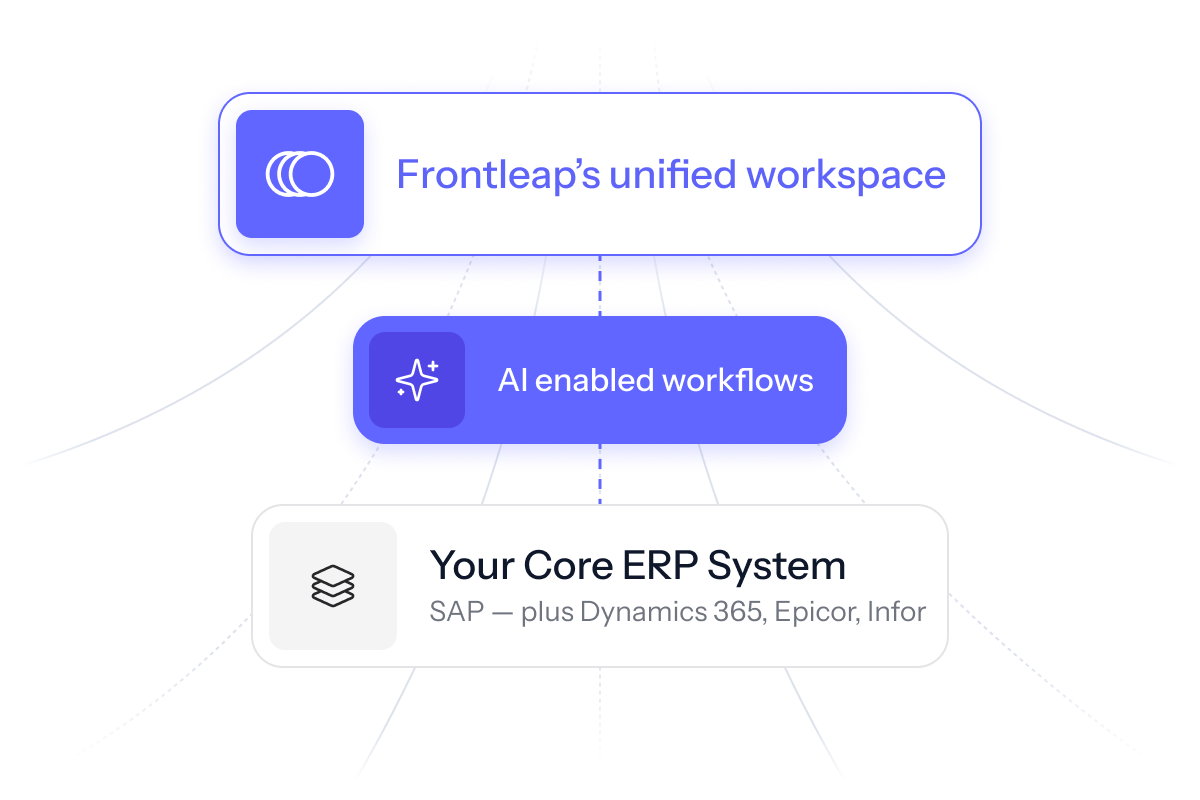
Frontleap is an AI-powered order management platform built for manufacturers and distributors on SAP. It adds an execution layer on top of the ERP to simplify and automate order work. Your ERP stays the system of record; Frontleap is where the work actually happens — order entry, product search, inventory lookup, document access — in an interface built for the people doing it. Nothing is duplicated and nothing is replaced: we hold the last 20% of the ERP, the part your teams currently handle with spreadsheets, email and workarounds.
Do we need to replace or modify our ERP to use Frontleap?
No. Frontleap runs alongside your existing ERP, without modification to your core systems. Your ERP keeps operating exactly as before, and your IT team keeps full control of its configuration and security. We don't rip and replace anything — we sit on top and send clean, validated transactions back into the system of record.
How long does implementation take and what's involved?
Most deployments run one to three months, in three steps: connecting to your existing systems, configuring the workflows your business actually uses, then a pilot with one team before wider rollout. We deploy progressively — one location or department first, expanding once it's proven. No disruption to daily operations.
Is Frontleap secure and compliant?
Yes. Single sign-on with your existing identity provider, role-based access controls, encrypted transmission. We don't store your sensitive business data — we read it in real time from your secured systems. Everything stays inside your existing security perimeter and compliance frameworks.
What can Frontleap handle?
Order entry and modifications, product search and inventory lookup, quote generation, returns and credits, customer account management, access to specs and pricing documents, multi-location stock visibility. In practice: anything where someone has to jump between screens or systems to get one job done.
Why not just improve our current ERP?
Because the problem isn't your ERP — it's the distance between it and the people using it. ERP projects deliver the system of record; they rarely deliver adoption at the counter. Frontleap runs independently of your ERP version, so it doesn't break with upgrades, and your teams are productive in a fraction of the usual ramp-up.
Does Frontleap work on mobile and in-store devices?
Yes, any device with a browser. Desktop, tablet, phone. The interface adapts to the screen, and works with the hardware already on your floor, like scanners and receipt printers. Your teams can look up stock, build orders and process transactions from anywhere in the building.
Does clean core mean removing every customization?
No. It means keeping the ERP standard and moving business-specific logic out of the core. Some specific belongs in the system of record. Much of it, like product equivalences, customer habits and pricing exceptions, can live in a layer above it, where it changes without touching SAP.
What happens to spreadsheets and workarounds during an S/4HANA migration?
Custom screens and fields are scoped and priced. Spreadsheets and detours around controls are usually not counted at all, so the knowledge they carry is neither migrated nor replaced. Inventory them before the scope is frozen.
How can you keep business-specific logic without customizing SAP?
Put it in a layer that runs alongside the ERP. The ERP stays the system of record. The layer carries the rules, context and exceptions of the work, and survives upgrades because it was never inside the core.
Why do counter staff ignore the memos and pop-ups in the ERP?
Usually not because the information is wrong, but because it is delivered in a way that blocks the sale in progress. Staff learn to dismiss it to keep serving the customer. The fix is to deliver the same information without interrupting the action, so both administration and sales get what they need.
What is the difference between training staff on the ERP and making them autonomous?
Training teaches the screens. Autonomy comes from having the answer at the moment of the sale: which product the customer means, which branch has it, what to do when the standard path doesn't fit. A workspace that follows the real sequence of the counter, and shows those answers in the flow, lets new hires serve the customer without calling a senior colleague.
Can you improve counter work without customizing SAP?
Yes. The specific way your counter works can live in a layer above the ERP instead of inside it. SAP stays the system of record, and the workspace carries the sequence, the context and the shortcuts your people need (why that matters before a migration).
How do you reduce the order desk’s dependence on a few senior people?
Capture what they know while the work happens, not in a manual. Follow them through one real workflow and note every time they leave the system. Record each rule they apply with its source, scope and owner. The knowledge then stays with the business when people move on, and new hires can draw on it from day one.
How do you keep order knowledge current when catalogues, prices and teams change?
Give every rule an owner. When someone corrects an order, the owner decides whether the correction becomes shared knowledge, where it applies, and which old instruction it retires. A correction on one order should never silently change every future order.
What should an AI agent handle alone, and what should stay with a person?
An agent can act where an approved rule fully determines the next step. Judgment, negotiation and commitments beyond its authority go to the right person, with the context attached. Write down what proceeds, what pauses and what allows the work to resume before anything is delegated.
Does clean core mean removing every customization?
No. It means keeping the ERP standard and moving business-specific logic out of the core. Some specific belongs in the system of record. Much of it, like product equivalences, customer habits and pricing exceptions, can live in a layer above it, where it changes without touching SAP.
What happens to spreadsheets and workarounds during an S/4HANA migration?
Custom screens and fields are scoped and priced. Spreadsheets and detours around controls are usually not counted at all, so the knowledge they carry is neither migrated nor replaced. Inventory them before the scope is frozen.
How can you keep business-specific logic without customizing SAP?
Put it in a layer that runs alongside the ERP. The ERP stays the system of record. The layer carries the rules, context and exceptions of the work, and survives upgrades because it was never inside the core.
Why do counter staff ignore the memos and pop-ups in the ERP?
Usually not because the information is wrong, but because it is delivered in a way that blocks the sale in progress. Staff learn to dismiss it to keep serving the customer. The fix is to deliver the same information without interrupting the action, so both administration and sales get what they need.
What is the difference between training staff on the ERP and making them autonomous?
Training teaches the screens. Autonomy comes from having the answer at the moment of the sale: which product the customer means, which branch has it, what to do when the standard path doesn't fit. A workspace that follows the real sequence of the counter, and shows those answers in the flow, lets new hires serve the customer without calling a senior colleague.
Can you improve counter work without customizing SAP?
Yes. The specific way your counter works can live in a layer above the ERP instead of inside it. SAP stays the system of record, and the workspace carries the sequence, the context and the shortcuts your people need (why that matters before a migration).
How do you reduce the order desk’s dependence on a few senior people?
Capture what they know while the work happens, not in a manual. Follow them through one real workflow and note every time they leave the system. Record each rule they apply with its source, scope and owner. The knowledge then stays with the business when people move on, and new hires can draw on it from day one.
How do you keep order knowledge current when catalogues, prices and teams change?
Give every rule an owner. When someone corrects an order, the owner decides whether the correction becomes shared knowledge, where it applies, and which old instruction it retires. A correction on one order should never silently change every future order.
What should an AI agent handle alone, and what should stay with a person?
An agent can act where an approved rule fully determines the next step. Judgment, negotiation and commitments beyond its authority go to the right person, with the context attached. Write down what proceeds, what pauses and what allows the work to resume before anything is delegated.
What is AI order entry for SAP?
AI order entry for SAP uses artificial intelligence to interpret customer requests, match them to catalogue items and prepare sales orders using relevant business information, such as pricing, inventory, customer records and order history. SAP remains the system of record.
Does AI order entry replace the customer service representative?
No. AI-assisted preparation can identify a likely product, bring pricing and customer information into view, surface a shortage and prepare the order for review. The representative resolves ambiguity, agrees on delivery or substitutions, and confirms that the order reflects the customer’s agreement. Commercial exceptions go to someone with that authority.
How is Frontleap different from SAP’s Order Management Assistant?
SAP describes its Order Management Assistant as orchestrating Joule Agents or custom agents for order fulfilment risks, sourcing optimization and revenue reconciliation. Frontleap Order Desk focuses on complex order preparation: a CSR workspace that brings the customer request, product match, stock, price and approval together. The functions overlap in part, so the practical test is how each handles your team’s terminology, customer rules and exceptions.
How should you evaluate an AI order entry solution?
Test it with orders that made your experienced people pause: an old product number, an unclear unit of measure, an expired quote or a request that conflicts with available stock. Check that the representative can see the evidence behind a match, identify missing information, correct the proposal, involve the right authority and verify the final order. Measure preparation time, corrections, unresolved questions and errors found after entry.